



ChatGPT And Grasshopper: Practical AI Plugins Redefining Parametric Workflows
Grasshopper has always been about one core idea: turning logic into geometry. For years, that workflow was powered entirely by humans pulling components, wiring data trees, and scripting when needed.
Today, that world is quietly changing.
AI is entering as plugins as very specific tools that slot into actual designer workflows and remove the bottlenecks that computational design has lived with for over a decade.
And the interesting part is that the most useful AI applications aren’t about replacing designers. They’re about removing the invisible friction that slows them down.
Right now, the breakthroughs fall into three clear categories:
- Text assistants for GH logic and component guidance
- AI script generation for C# and Python
- Stable Diffusion renderers inside Grasshopper for quick viewport images
These categories may look simple on paper, but they change how fast a designer can explore, debug, prototype, and communicate ideas.
1. Stable Diffusion Renderings Inside Grasshopper
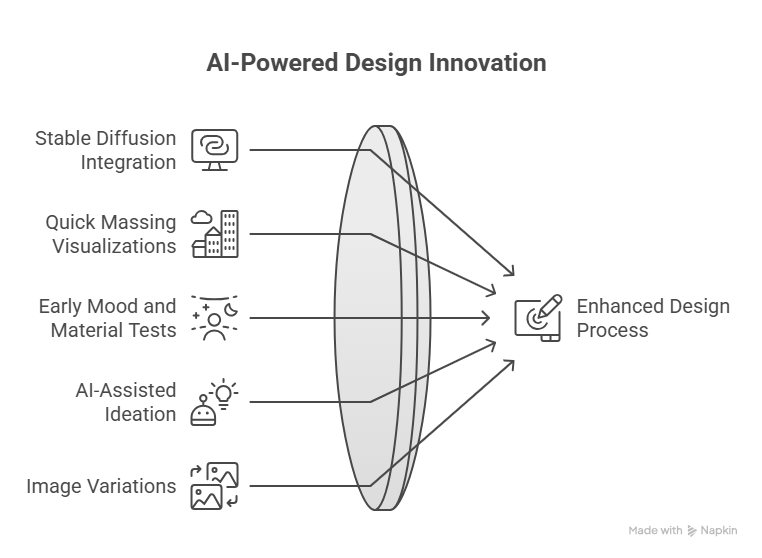
Plugins now bring Stable Diffusion directly into Grasshopper, allowing designers to generate images or visual ideas from the geometry in their viewport.
What this unlocks:
• Quick massing visualizations
• Early mood and material tests
• AI-assisted ideation loops without leaving Rhino
• Image variations based on viewport perspective
It’s not about producing final beauty renders yet. It’s about compressing the distance between a geometric idea and a visual impression, especially in the early messy stages where design direction forms.
Example plugin: Fitz’s AI toolkit
2. Component Population Tools (GHPT and Similar)
This category is fascinating because it targets one of the most universal Grasshopper bottlenecks: figuring out what to place on the canvas.
Tools like GHPT add a text layer on top of Grasshopper, allowing designers to type what they want instead of manually figuring out the component sequence. Real value shows up in scenarios like:
• Rapid assembly of simple graphs
• Jumpstarting logic when you’re stuck
• Reducing onboarding time for beginners
The interesting part is that these tools are still early, yet already useful. They don’t take over complex workflows, but they remove the grunt work that nobody enjoys.
Plugin example:
Perfect for beginners, surprisingly helpful for experts, and a strong signal of where Grasshopper UX might evolve next.
3. AI Script Generation For C# and Python

AI can now generate C# or Python scripts for Grasshopper on demand. AI tools can generate C# or Python scripts for Grasshopper based on plain language descriptions of the intended behavior.
This directly benefits people who:
• Don’t script but want custom behavior
• Can read but not write code
• Know what they need but not how to implement it
Outputs include:
• New custom components
• Geometry transformations
• Data structure helpers
• Debugging and refactoring suggestions
Example plugin: Raven
Raven can generate components or logic from text instructions, which makes scripting and setup faster for non-programmers. The outputs still require review, but it reduces the overhead of starting from scratch.
How Designers Are Using These Tools Today
If you step back and observe how teams are adopting AI in Grasshopper, three patterns appear:
Text assistants → clarify logic and recommend components
Script generation → produce custom behaviors without expertise
SD viewport renders → generate visuals for early decision-making
AI is not doing the designing.
It’s unlocking speed, clarity, iteration, and communication.
Limitations And Reality Check
Despite the progress, AI in Grasshopper isn’t magic. Designers should expect constraints like:
- Assistants struggle with huge definitions
• Data trees confuse models more than geometry
• Component suggestions can be incorrect
• Generated scripts require human review
• SD outputs are ideation, not final renders
The productive mindset today is:
AI accelerates. Designers validate.
That’s where the real power sits.
The Direction Forward
The most interesting signal right now is that all three categories are moving in the same direction: deeper integration with the canvas.
We’re heading toward:
• Higher-fidelity SD interfaces
• Canvas-aware component assistants
• Script generation optimized for geometry native tasks
It’s not automation.
It’s augmentation.
It doesn’t erase the need for parametric thinking.
It erases the busywork that slows parametric thinking down.
Our Perspective
At BorgMarkkula, we view these AI plugins as part of the toolkit. They help with some tasks, and others still require manual work. In customization, fabrication-aware design, and advanced geometric logic, the bottleneck has never been creativity. The bottleneck is usually setup time, debugging time, and communication time.
These plugins can break those bottlenecks without touching the core:
human judgment, computational reasoning, and design intent.
That’s the exciting part.
We work with teams exploring AI-assisted parametric workflows, fabrication-aware customization, and advanced Grasshopper systems. If you’re looking to build these capabilities properly, we can help you define the approach and execute it.
Book a free 30 minute call to discuss your use case and assess fit. No obligations, just clarity on next steps.
https://calendly.com/kane-borgmarkkula/30min?month=2026-01